I built ImageChecker to sort years of photos from old phones and cameras. From Windows File Explorer, I can open a batch and preview new names, output sizes or duplicate pairs before applying any changes.
I built it primarily in C# with Windows Forms so it could use familiar Windows controls and integrate directly with File Explorer.
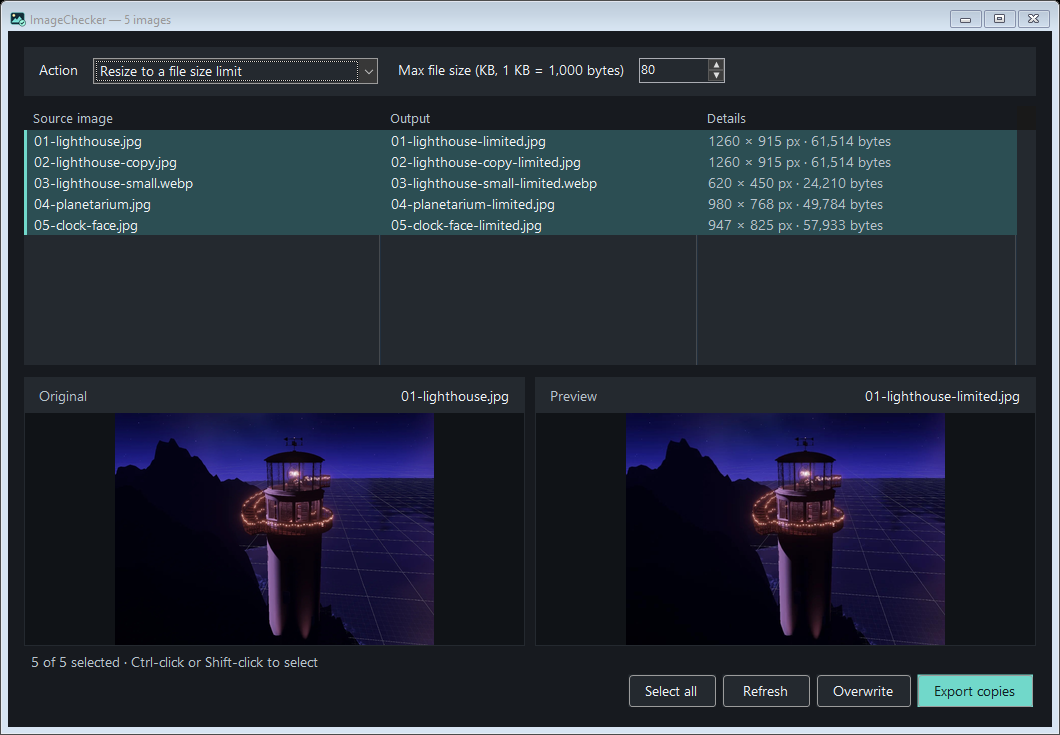
With an 80 KB limit, the preview shows the lighthouse image going from 256,086 to 61,514 bytes. Click a screenshot to open it full size.
What ImageChecker can do
Work on a single image or a batch of PNG, JPG or WebP files from Windows File Explorer.
Rename and organise
Prefix the original filenames with today’s date, number a batch in order, or use the date the camera recorded. If ImageChecker falls back to the file creation date, it marks it as an estimate.
Find and review duplicates
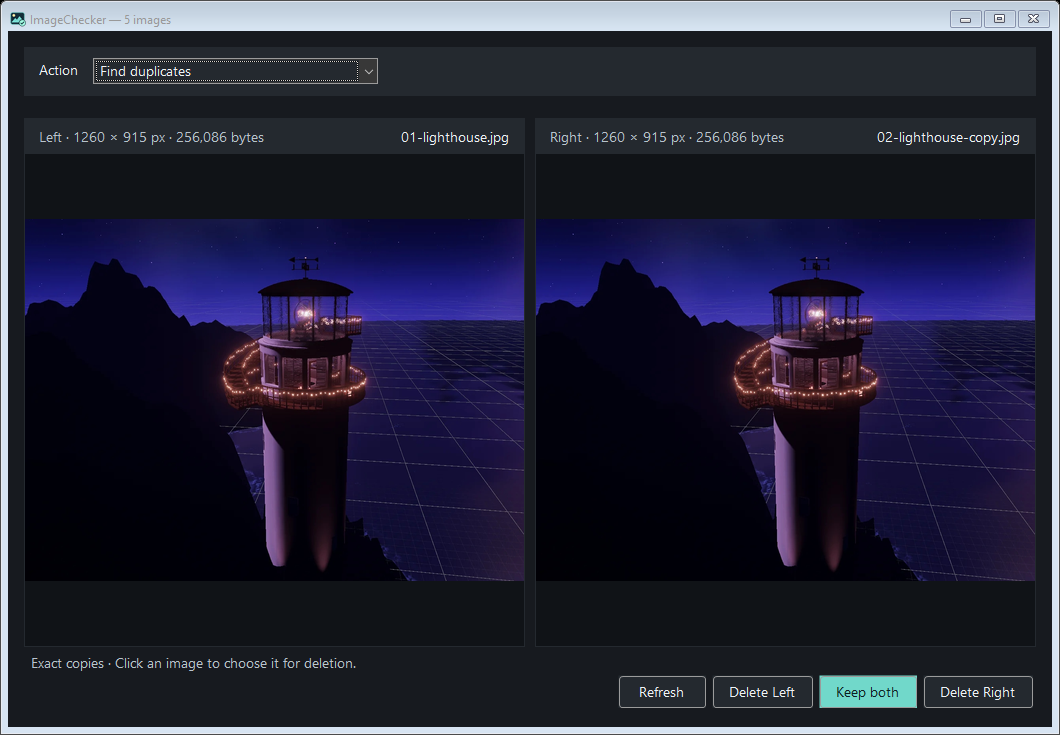
See exact copies and visually similar still images side by side. Keep both or send the copy you choose to the Recycle Bin.
Convert format
Choose PNG, JPG or WebP. JPG uses a white background where the original has transparent pixels. When overwriting, ImageChecker skips a format change if a different file already has the new name.
Fit within dimensions
Set a maximum width and height. The resize keeps the original proportions and leaves images alone if they already fit.
Fit under a file-size limit
Set a maximum file size and keep the original format or choose a new one. A file that already fits can keep its existing bytes. For larger files, the app first tries the original dimensions, then tests encoding options and reduces dimensions if needed. The preview reports the encoded size.
Inspect metadata
View the image path, format, dimensions and file timestamps alongside embedded information when available, including EXIF camera details, XMP or PNG text.
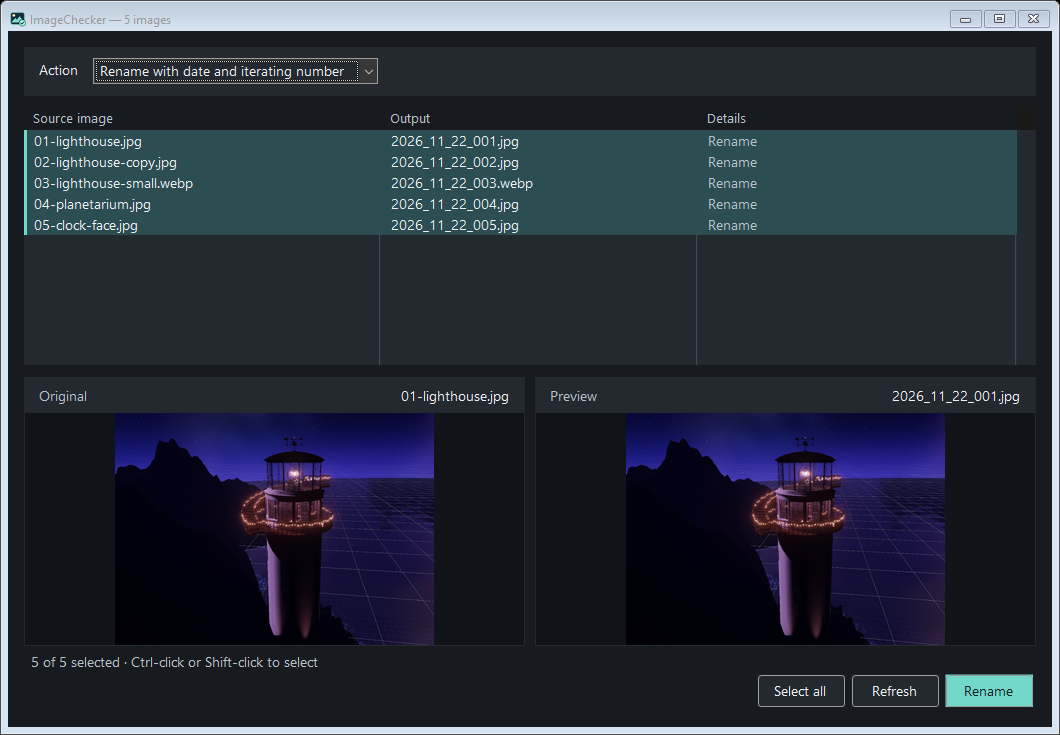
Choose the date-and-number action to see each current name beside its proposed replacement, such as 2026_11_21_008.png. The app assigns numbers in list order and keeps the original extension.
The counter carries across folders and restarts during the same day. It skips occupied names and advances for successful renames. Use the date-prefix action if you want to keep the rest of each original filename.
Review duplicates a pair at a time
The scan looks for neighbours of the selected images in their immediate folders. Identical file contents come first. Still images with similar proportions, colours and transparency can also match after resizing or re-encoding. Animated images match by exact contents.
Check the two previews and their paths. Keep both to move on, or choose the left or right file and confirm its path before ImageChecker moves it to the Recycle Bin.
From photo backlog to ImageChecker
Start with years of photos from different devices
My PC was full of pictures from old phones and cameras. Each device organised files differently, so I had duplicates, pictures with generic filenames and several folder systems to sort through.
Work out what the app should do
I brainstormed with Sol in the Codex client. Finding duplicates was the first goal. I also wanted to rename pictures by date, convert them between formats and resize them from the same window.
Set up the GitHub repository
Once I was happy with the plan, I created the repository so I had somewhere to track changes and publish the Windows builds. ImageChecker on GitHub
Use Astra for the first build
I switched from Sol to GPT-6.2 Astra in Codex for the first build, then went back to Sol to refine it.
Fix problems one build at a time
The first build had plenty of issues. I worked through them over several iterations and tested each new build on a controlled set of images before moving on.
Review security and performance
Once I was happy with how the app worked, I asked Sol to run a security check and make an optimisation pass.
Try it on my own photo collection
After those checks passed, I moved beyond the controlled test files and tried ImageChecker on the real folders I had set out to organise.
Organise 16,000 pictures by date
I ended up with 16,000 pictures organised by date. Years of photos from different devices finally followed the same system.